Back

Back

ClickUp

ClickUp

ClickUp is a comprehensive productivity platform used by millions of teams globally. However, as the platform evolved, its time and resource management features had largely been neglected–users relied on disconnected third-party tools for time tracking and approvals, creating data silos and tedious workflow friction. Teams and enterprise customers consistently requested native functionality to manage capacity, track billable hours, and approve timesheets without leaving ClickUp.

I designed the complete Timesheets and Approvals system, giving users visible, accurate, and actionable access to time and resource data for the work they already tracked in ClickUp, and bringing key functionality to individual contributors tracking their capacity, team leads managing workloads, and managers approving time across projects.

What I did

Product design
UX/UI Design
User research
Design system

Year

2023 - 2024

Role

Product Designer (In-house)
Process & Approach

The goal: Bringing essential resource management functionality to users' work in ClickUp

The need for timesheets and approvals within the ClickUp ecosystem was crucial for many team and enterprise customers: team members needed an easy way to see and track their time across all projects, and managers needed reliable, accurate data on which they could base decisions. The lack of these was a major detraction to customers, as workarounds were costly and inefficient.

I kicked off the design process by gathering various streams of user research (direct customer feedback, user testing to examine current patterns, customer interviews, product analytics, and internal team usage). I mapped out and workshopped user flows for each role that that encompassed the different possible submission/approval flows, user needs and pain points, and tech requirements. From there, I identified the distinct functional priorities for individual contributors (quick entry, capacity tracking) vs. managers and admins (team visibility, user permissions, bulk approvals).

I collaborated with product, engineering, and design team members to balance tech constraints, business priorities, and customer needs. Then we released improvements iteratively, getting the most urgent updates out the door quickly and building additional functionality from there.

The result: a comprehensive, flexible, and accurate tracking & management system

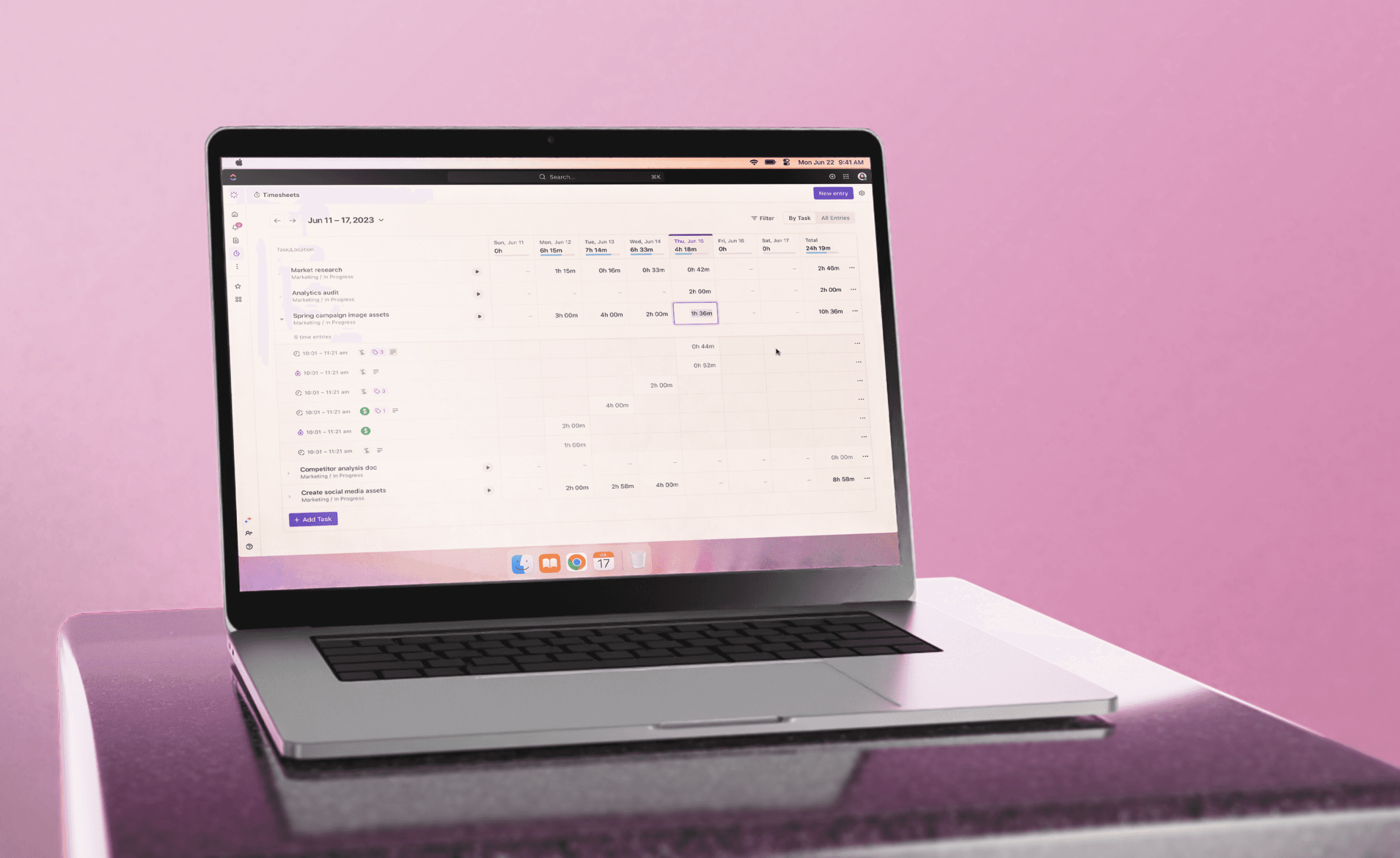
The designs included individual and team timesheet views, multi-level approval workflows with customizable deadlines and automated reminders, capacity tracking, billable/non-billable categorization, custom tagging, flexible filtering, and commenting for feedback on submissions, giving teams everything needed for comprehensive workforce management in one experience.

Design system integration & documentation

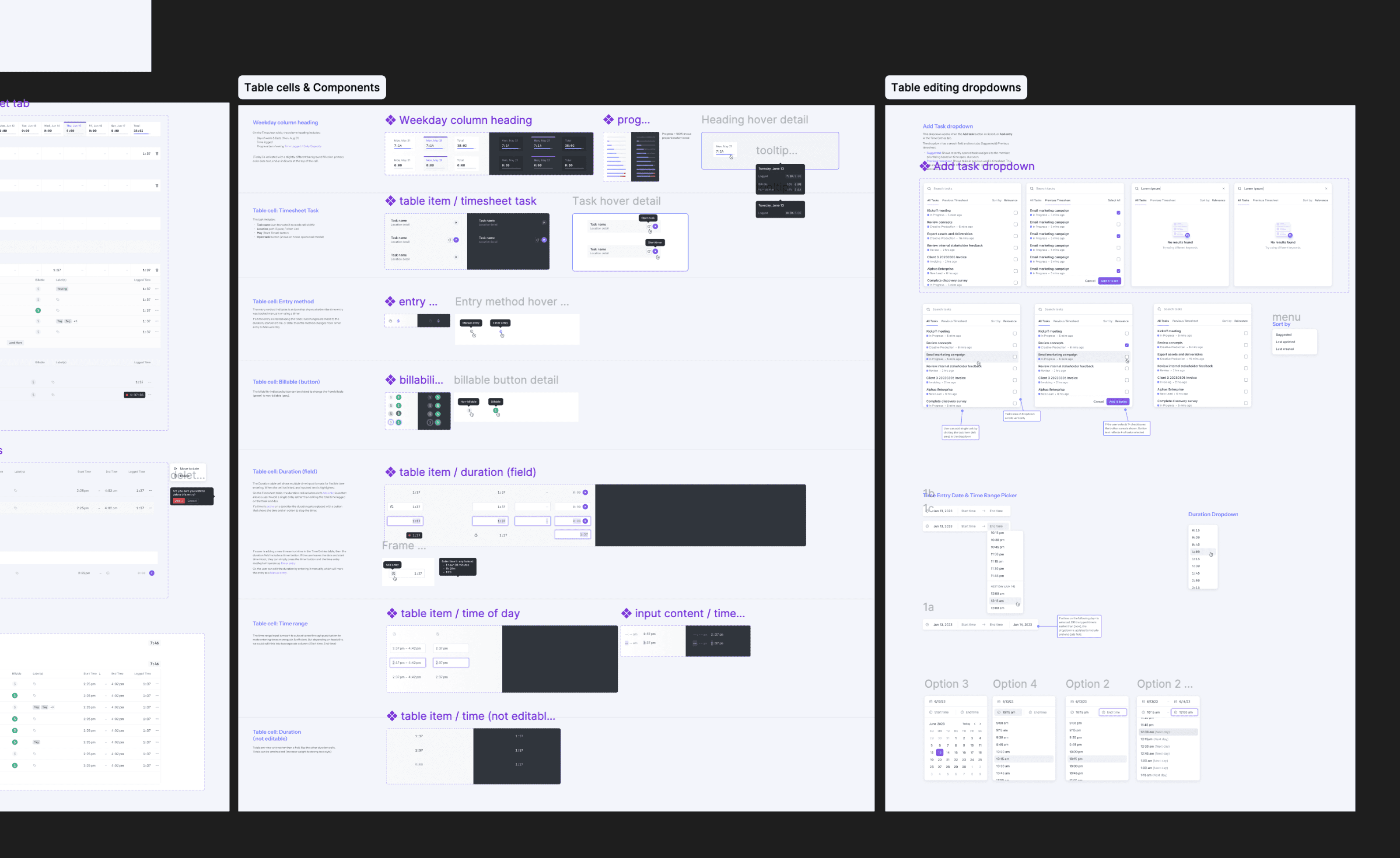
The designs integrated into ClickUp's design system: reusable timesheet components, consistent interaction patterns, and detailed documentation to maintain platform consistency.
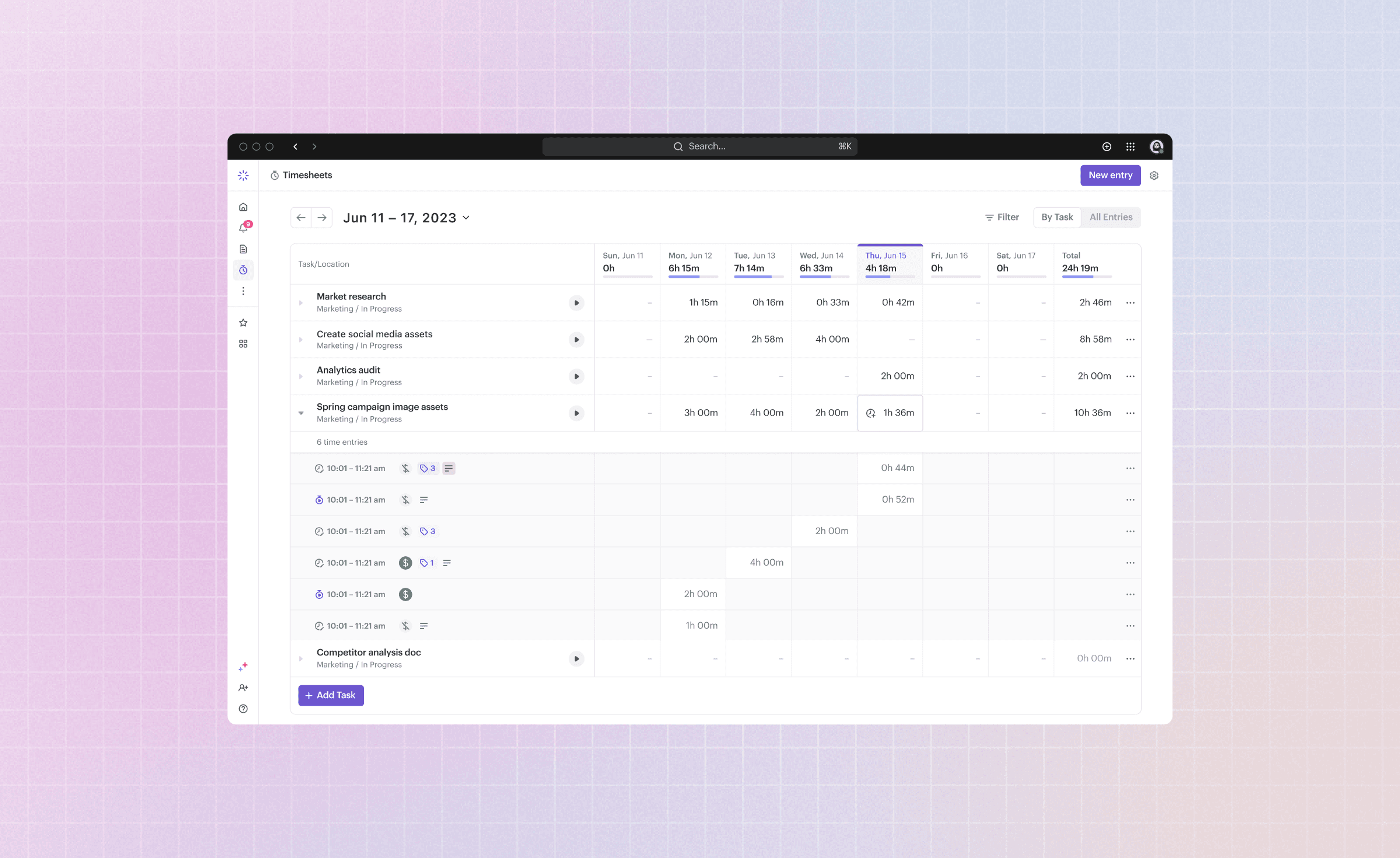
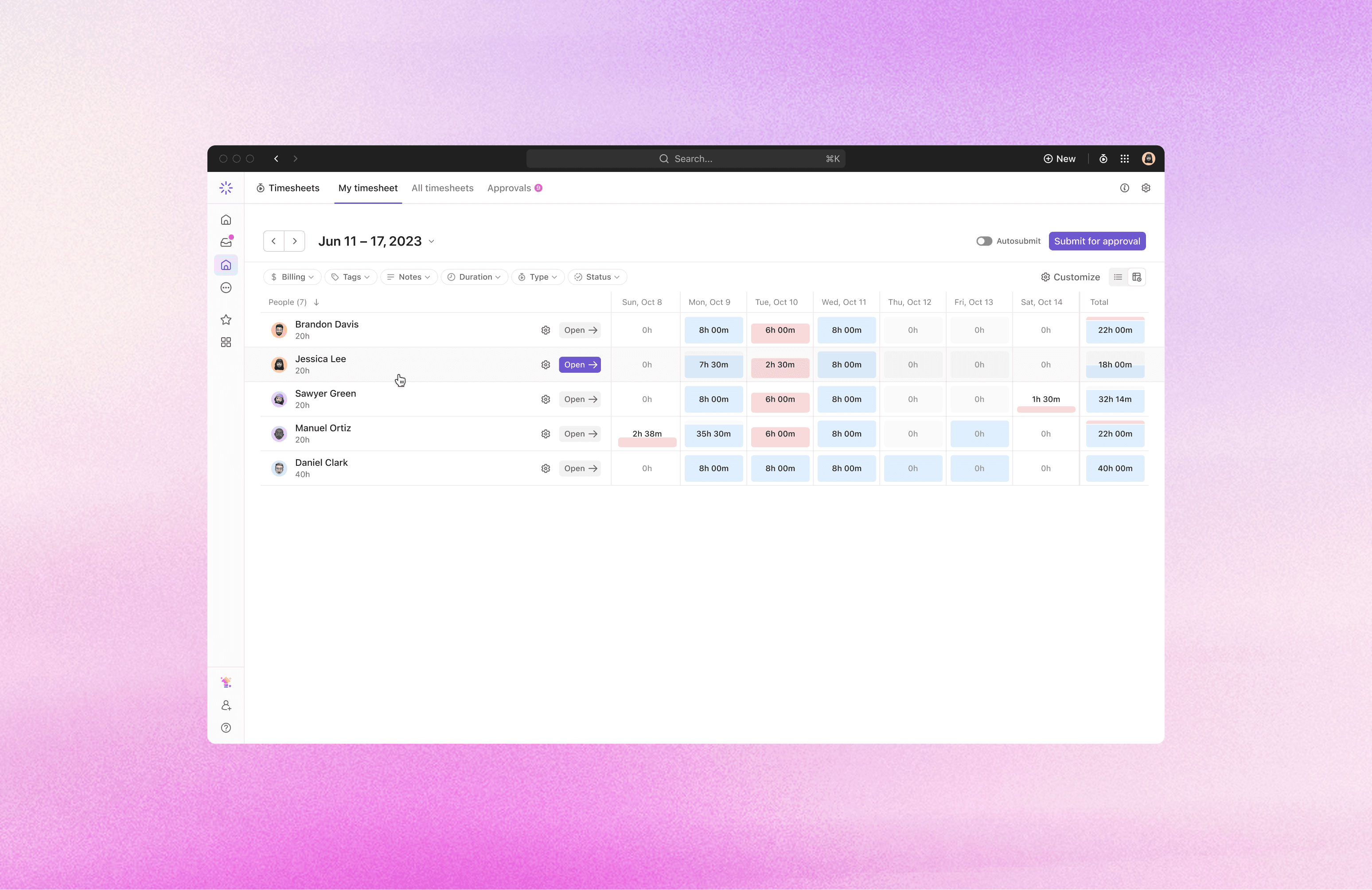
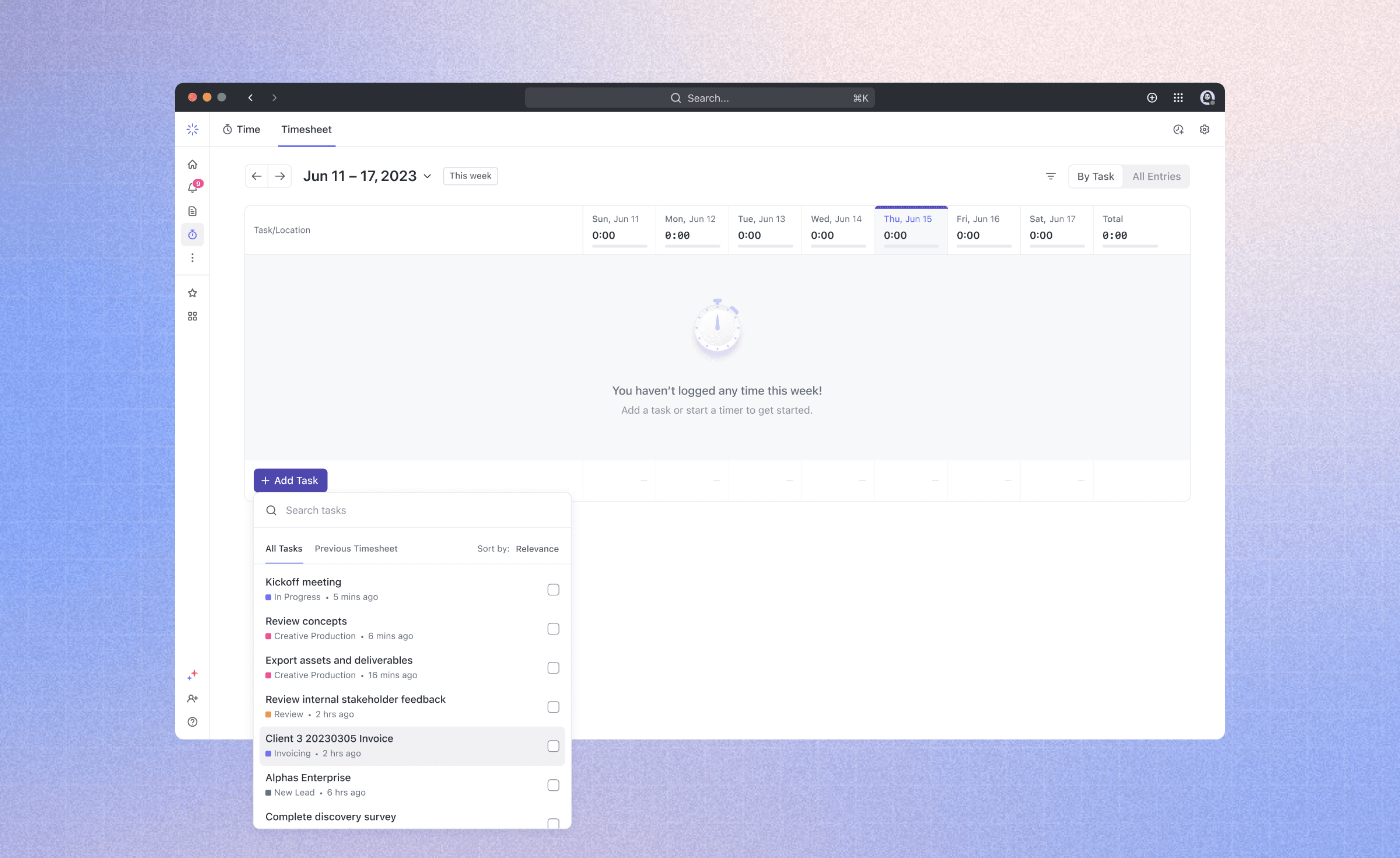
A dedicated Timesheet view lets users view, add, and edit all of their time entries, track entry-specific details like billable status and tags, monitor their progress and capacity, and submit weekly for approval. Interactions and components were optimized for ease and consistency across the platform.
Meanwhile, the team timesheet view  allows managers and admins to monitor and adjust their team's workloads and submit time for others
Meanwhile, the team timesheet view allows managers and admins to monitor and adjust their team's workloads and submit time for others
Meanwhile, the team timesheet view  allows managers and admins to monitor and adjust their team's workloads and submit time for others
Meanwhile, the team timesheet view allows managers and admins to monitor and adjust their team's workloads and submit time for others
Meanwhile, the team timesheet view  allows managers and admins to monitor and adjust their team's workloads and submit time for others
Meanwhile, the team timesheet view allows managers and admins to monitor and adjust their team's workloads and submit time for others
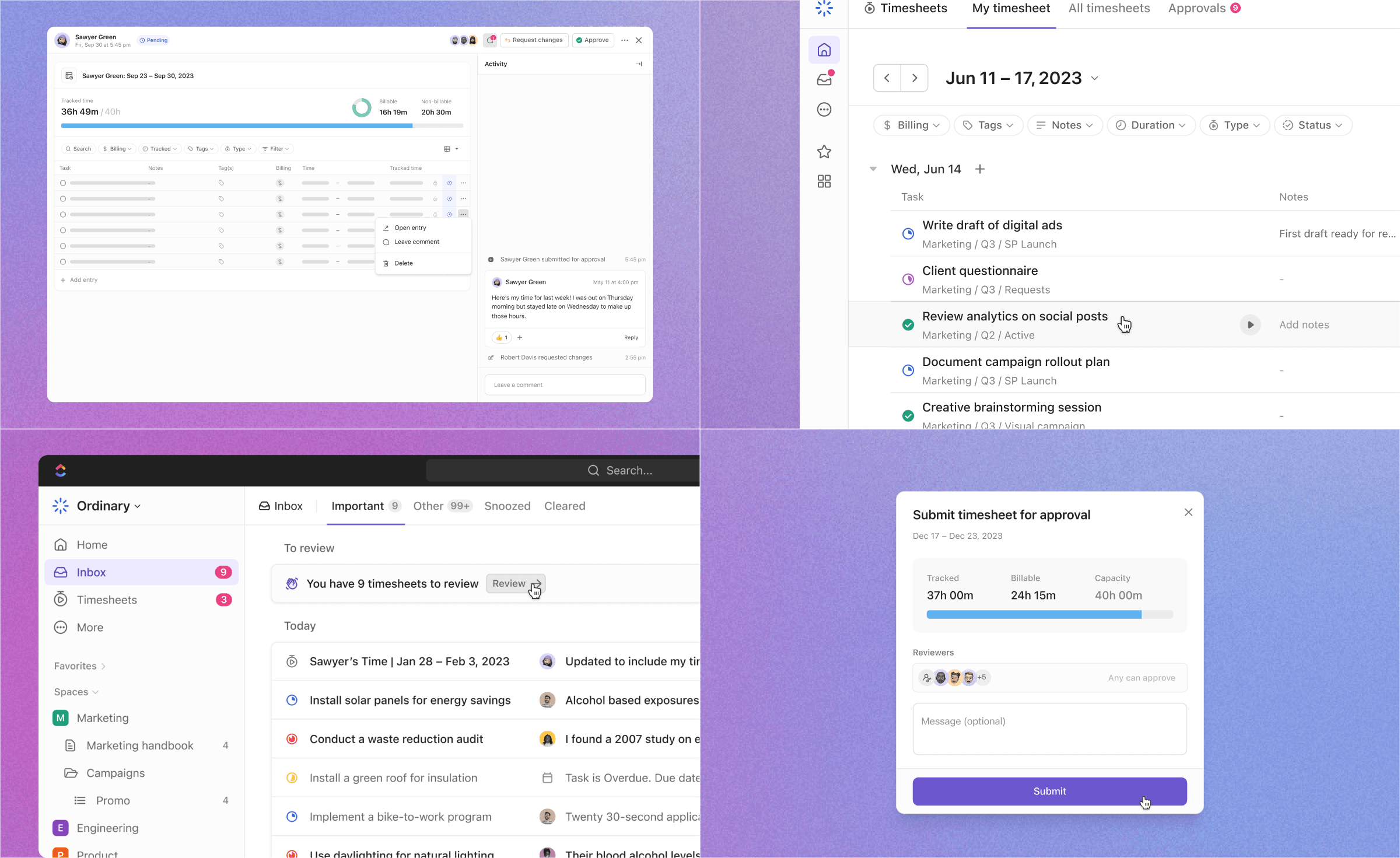
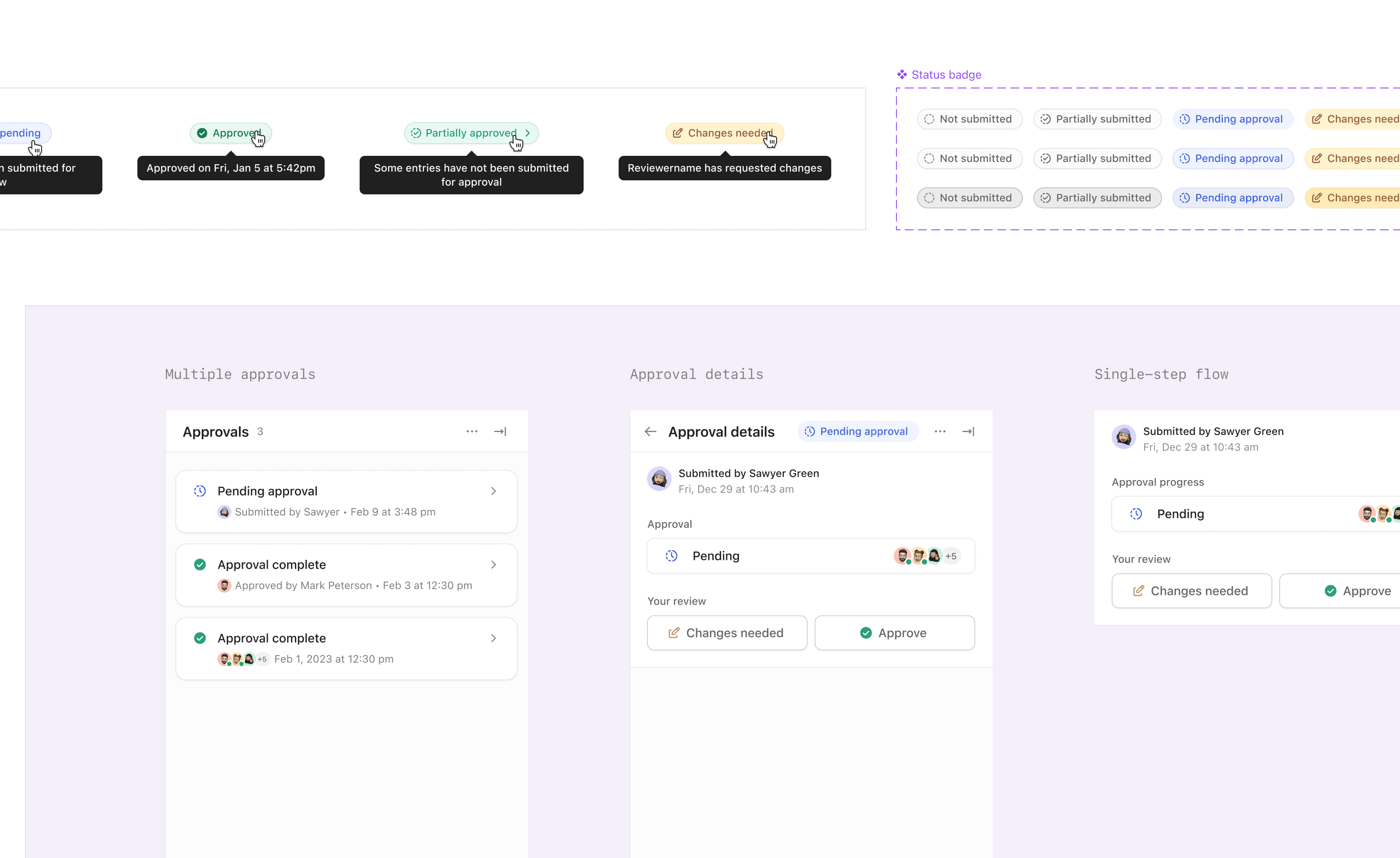
The approval workflow includes various statuses that affect both timesheet submissions and their included individual entries. The designs provided clear indicators of these statuses across the product, documented for both primary workflow states and edge cases.
Making it easier to find and add tasks: a more powerful search component with better relevance sorting, pinned tasks, bulk adding, and an efficient way to add tasks from the previous week
New timesheet experience details and design documentation
Interaction details for submitters and approvers, which were documented for all key user flows
© 2026

Designed & built by Daniela Rivas ◡̈

Portland, Oregon,

10:46 PM